Information gets copied between tools
Manual transfers between forms, spreadsheets and customer systems create extra work and opportunities for missing details.
We map repeated tasks, then connect the systems involved where supported access is available. Examples include enquiry-to-CRM routing, notifications and scheduled reporting. Based in Delhi, we work with businesses across India and internationally. Rules handle predictable steps; AI is considered only where useful and with appropriate review.
Discuss Your Project See what can be includedManual transfers between forms, spreadsheets and customer systems create extra work and opportunities for missing details.
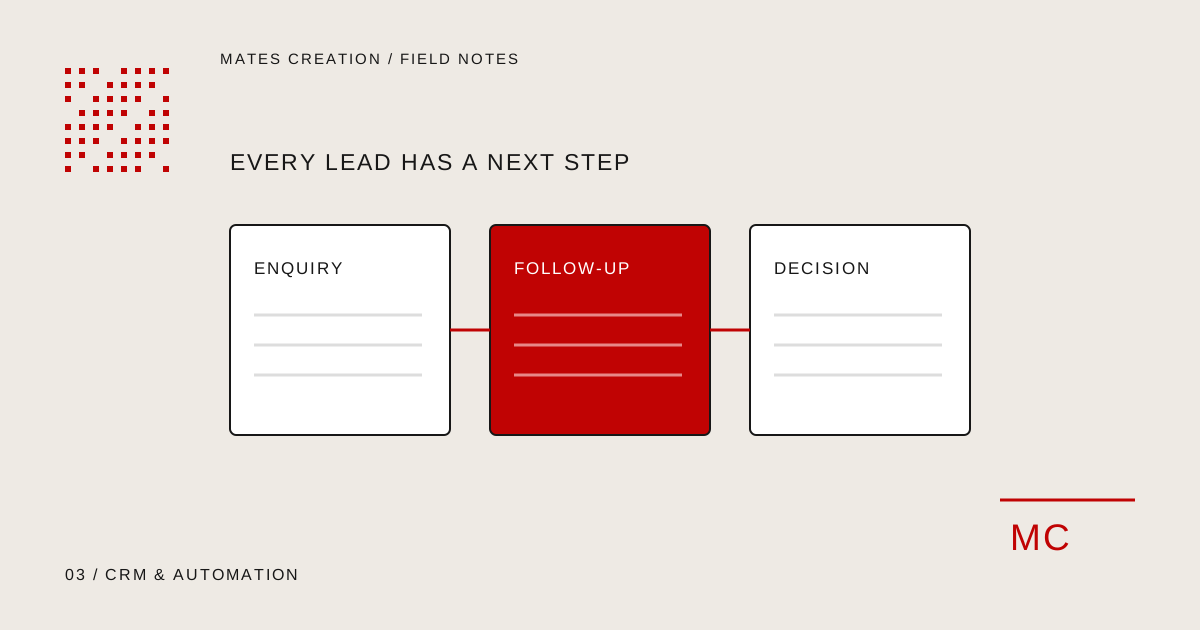
Enquiries and internal requests can sit unattended when there is no clear routing, notification or ownership.
A chatbot or prompt needs defined inputs, permissions and review points before it can support everyday business work.
We map what happens today, where information comes from and who needs to make decisions. Then we choose the simplest suitable automation. AI may help interpret or draft information; predictable steps can use rules. We define what happens when a connection fails or an output needs review.
Talk through your requirementsWe map the process, its inputs and the decisions that need a person before choosing the right tools.
Bring information between the systems you already use and reduce avoidable manual steps.
Define access, review points, exceptions and fallback behaviour so the workflow fits your business.
These are the kinds of work we can include.
Your proposal defines the agreed deliverables.
Record the trigger, inputs, decisions and outputs. Identify cases that need manual approval or cannot safely run automatically.
Scope how enquiries enter your tracking system, how ownership is assigned and what happens if required information is missing.
Map form fields to the receiving records. Agree duplicate handling, required fields and the response when the destination is unavailable.
Configure agreed reminders or notifications using supported channels. Timing, permissions and stop conditions are defined first.
Prepare agreed summaries or scheduled transfers from available records. The underlying data must support the information you want reported.
Test failures, retries and permissions. Explain how to stop the workflow, identify exceptions and maintain authorised access.
Connect agreed enquiry sources to your CRM or tracking system. Assign ownership and create notifications so the next action is clear.
Build an assistant around approved information and a defined purpose. Escalation routes and answer limits are planned alongside the conversation.
Support repetitive tasks such as collecting inputs, preparing drafts and organising information. Sensitive decisions can stay behind a human approval step.
Start with your business situation,
then agree the work it needs.
A strong fit when staff regularly move the same information between tools or act on a defined trigger.
Useful when enquiries need routing, field mapping or clear ownership across connected systems.
Useful when your current tools support integration. A custom application may be more suitable if the underlying process needs its own interface.
These examples explain possible uses. They are not client projects or results.
A validated form submission could create a CRM record and notify the assigned team member. If the CRM is unavailable, the workflow should retain an agreed fallback rather than silently discard the lead.
A team could receive a scheduled summary from recorded lead stages and outstanding tasks. The report depends on accurate records and the fields made available by the source system.
API permissions, provider limits and supported events determine what can be connected. Existing tools are assessed before committing to a workflow.
Use rules for predictable routing or scheduling. AI-assisted interpretation can be included where useful, with a review step for uncertain or sensitive output.
Connecting an existing CRM and custom CRM development are different scopes. We assess the existing system before proposing a new build.
Where a workflow needs interpretation or drafting, scoped AI assistants can be assessed with defined limits and human review. AI is optional.
If the workflow needs a new portal or interface, software and web applications are assessed separately from connecting existing tools.
Each stage has a clear purpose. We agree the scope and feedback points before the project begins.
Plan your projectWalk through the current steps, inputs and the exceptions your team already handles.
Agree triggers, field mapping, credentials, allowed actions and the cases requiring approval.
Connect the approved systems and implement the agreed routing, scheduling or transfer rules.
Check duplicates, missing data, expired access and unavailable services. Agree appropriate retries and notifications.
Release the approved workflow and show your team how to pause it, recognise problems and change authorised settings.
Provider changes and expired access may require maintenance. Define responsibility and any monitoring arrangement separately.
A workflow should have clear ownership, access boundaries and a fallback. We can include process documentation and a handover for the people operating it. Third-party usage charges, model subscriptions and ongoing monitoring are agreed separately.
The number of systems, API access, data formats, workflow branches and testing requirements affect complexity. A focused task is a useful starting point.
Bring one repeated task, examples of its inputs and the tools involved. Use anonymised examples where possible and identify who can approve system access.
Tell us what you want to create or improve. We’ll review your brief and discuss a suitable scope.
Discuss Your ProjectUseful things to know before
scoping this service.
Start with a frequent, predictable task whose inputs and outcome are clear. Mapping the exceptions helps determine whether the whole task or only part of it should be automated.
Many routing, reminder and reporting workflows can use rules. AI is assessed when interpretation or drafting is needed, with an appropriate review step.
Compatibility is checked individually. A provider must offer suitable access or a supported integration, and usage limits may affect the design.
We agree exception handling for the workflow, such as a notification, safe retry or manual fallback. Recovery behaviour depends on the systems and actions involved.
Only if supported provider access, permissions and messaging requirements are confirmed. A manual WhatsApp handoff is a different workflow and does not require a promise of automatic delivery.
The systems, workflow branches, data volume and failure handling affect the build. Subscriptions and monitoring responsibilities are specified in the proposal.
Define a useful chatbot task, approved information, human handover and evaluation before adding AI support to your business website.
Read the guideMap lead sources, ownership, pipeline stages, permissions and exception handling before investing in a custom CRM or business automation.
Read the guideBring one workflow, its inputs and the tools involved. We will discuss what can be connected and what should stay with a person.
Discuss Your Project